What is SlidesGo.uz and how does it work?
SlidesGo is an AI document generator inside Telegram. You type a topic and the bot sends back a finished presentation, essay, course work or test within minutes. This article covers what it can do, how to start and how payment works.
What is SlidesGo.uz?
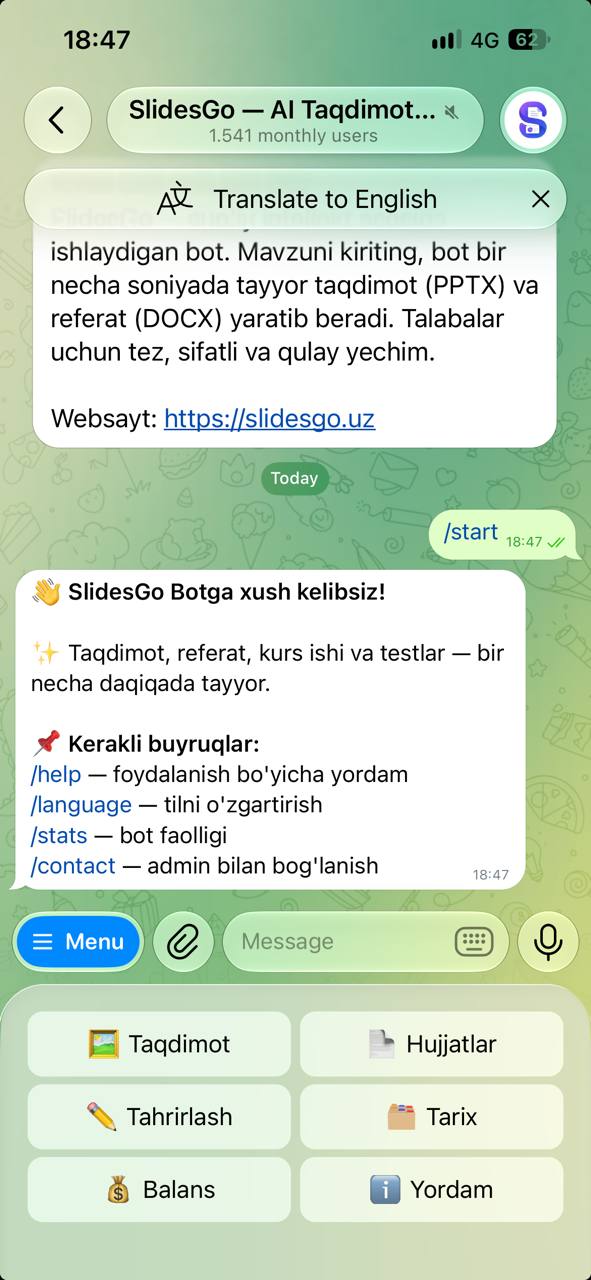
SlidesGo.uz is the bot's official website, and the bot itself lives in Telegram as @slidesgobot. There's nothing to install and no sign-up: open the bot and tap /start — your account is created automatically.
The website introduces the bot and hosts the guides, payment terms and privacy policy. The documents themselves are created right inside Telegram.
What can you create?
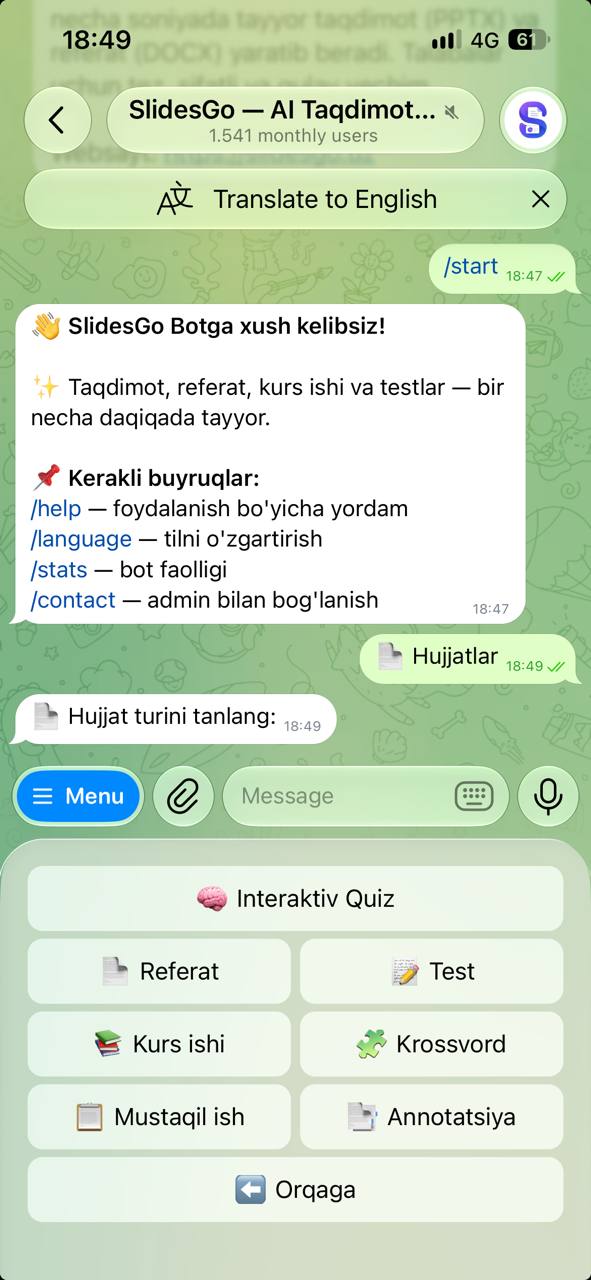
Eight document types, each in a ready-to-submit format:
- Presentation (PPTX) — 3 to 15 slides, 30 themes, photos, and editing after it's built.
- Interactive quiz — upload a test file (PDF, Word, Excel or TXT) and play it in a Mini App inside Telegram.
- Essay (referat) (DOCX) — title page, outline, introduction, body, conclusion and bibliography.
- Test (DOCX) — 5 to 20 questions, 3 difficulty levels, shuffled answers.
- Course work (DOCX) — 2 to 5 chapters, introduction, conclusion and references.
- Crossword (DOCX) — 5 to 15 words, a print-ready grid and an answer sheet.
- Independent work (DOCX) — 5 to 15 pages with a table of contents.
- Abstract (DOCX) — a 250–400 word academic abstract.
Presentations come from the  Presentation button in the main menu; everything else is under
 Documents.
How does it work?
- Open the bot and tap /start.
- Pick a document type and type your topic.
- Choose the language, length and design.
- The finished file arrives in the chat, usually within 1–5 minutes.
A step-by-step walkthrough for presentations: How to make a presentation in Telegram.
Price and payment
There's no subscription. You top up a balance, and money is taken only after a document is generated successfully — if something fails, nothing is charged. New users get a welcome bonus.
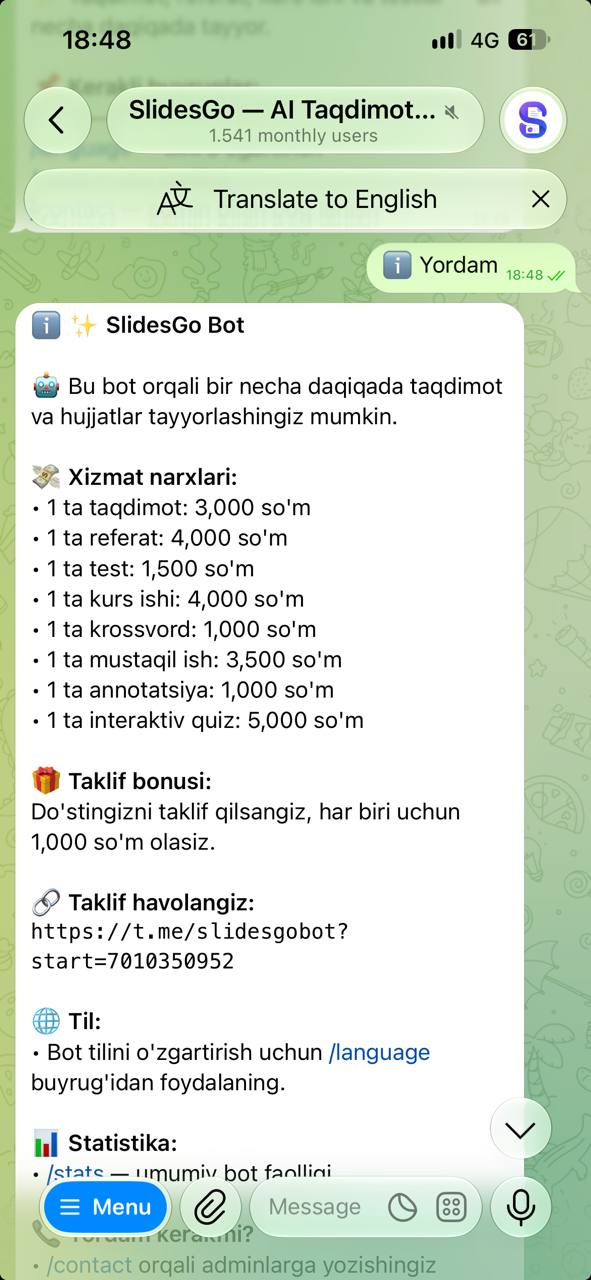
You can top up with a bank card (send a photo of the receipt after the transfer), Click, Payme or Telegram Stars. Current prices are in the bot's /help command. Step by step: How to top up your balance.
More: Payment & refund terms.
Languages
Documents can be created in Uzbek, Russian, English, Kyrgyz, Kazakh and German. The bot interface is available in Uzbek, Russian and English — switch with the /language command.
What else is there?
 Edit — change the text, theme and photos of a finished presentation without rebuilding it.
 History — every document you've created, ready to download again at any time.
- /contact — message the administrators with a question or a problem.
Check the result
Documents are generated by AI. Before submitting, double-check the key facts — names, dates and figures.