How to top up your SlidesGo balance
You can top up in two places: in the bot itself with Telegram Stars, or in your Account on slidesgo.uz with a card, Click / Payme or KGS. Below, step by step: how to log in to your Account and how each method works.
Which method should you pick?
- Bank card (Humo / Uzcard) — transfer to the card and upload a photo of the receipt. Every amount gets a bonus.
- Click / Payme — pay on the payment page; no receipt needed, the balance tops up by itself. Same bonus as by card.
- KGS · QR — for Kyrgyzstan: pay in som with the QR in your bank app and upload the screenshot.
- ⭐ Telegram Stars — right in the bot, no website needed.
Step 1. Log in to your Account
Tap 💰 Balance in the bot — under the message you'll see ⭐ Stars and 👤 Account. Account opens slidesgo.uz/app. You can also open it directly: slidesgo.uz/app.
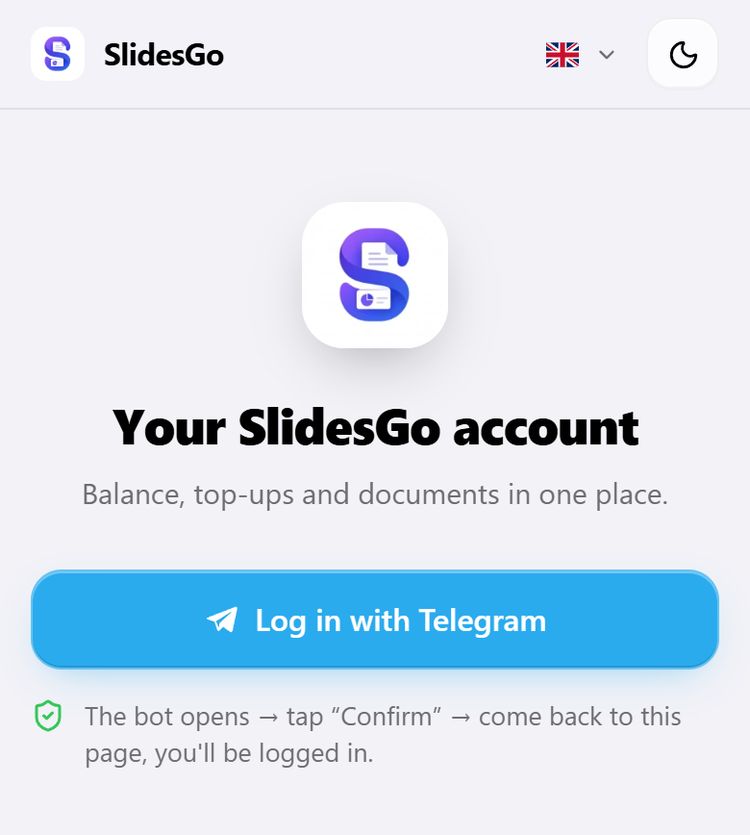
The first time, tap Log in with Telegram. The bot opens with a  Confirm button — tap it, then go back with Back to the site. No password or code, and you stay logged in for 30 days.
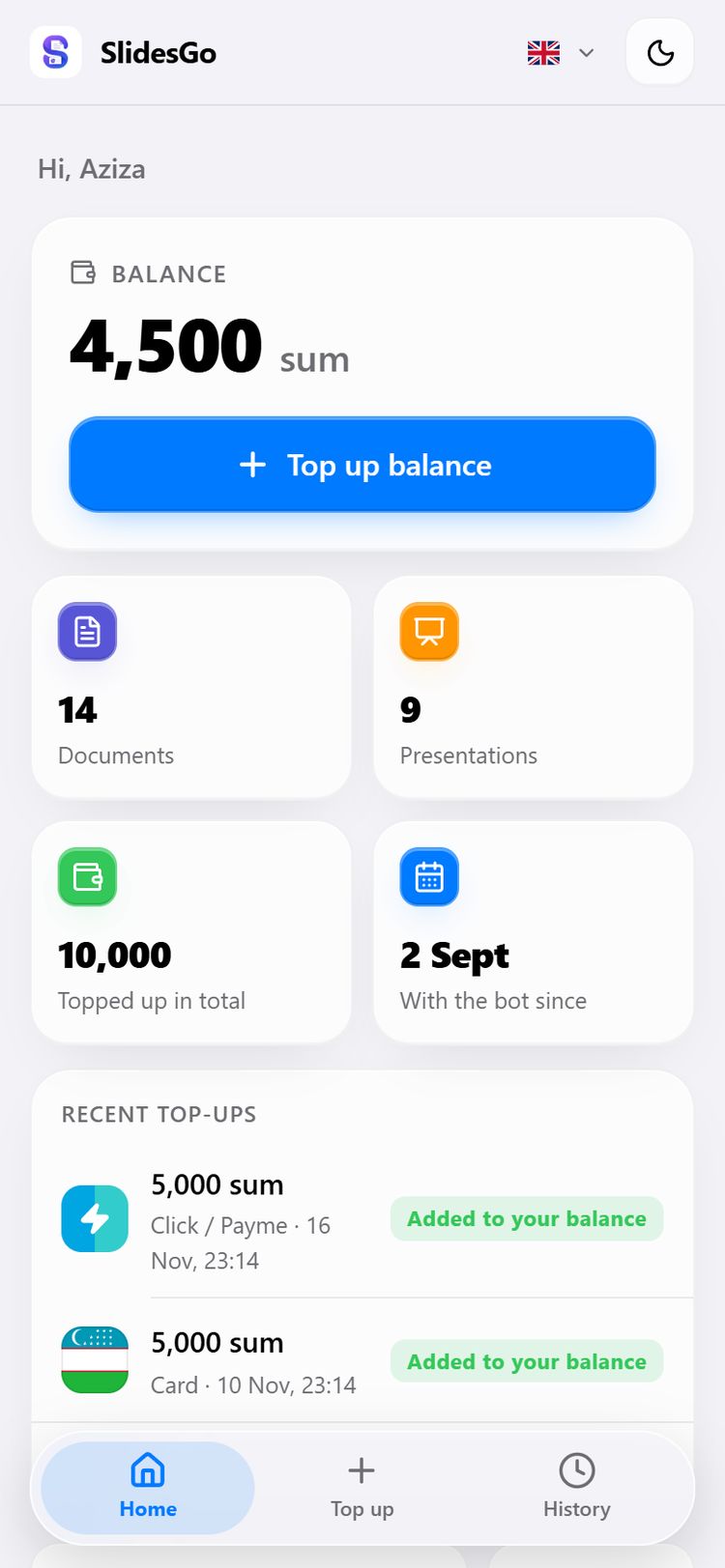
Once you're in, your Account home shows your balance, your document count and recent top-ups. Tap Top up balance.
Step 2. Pick a method and an amount
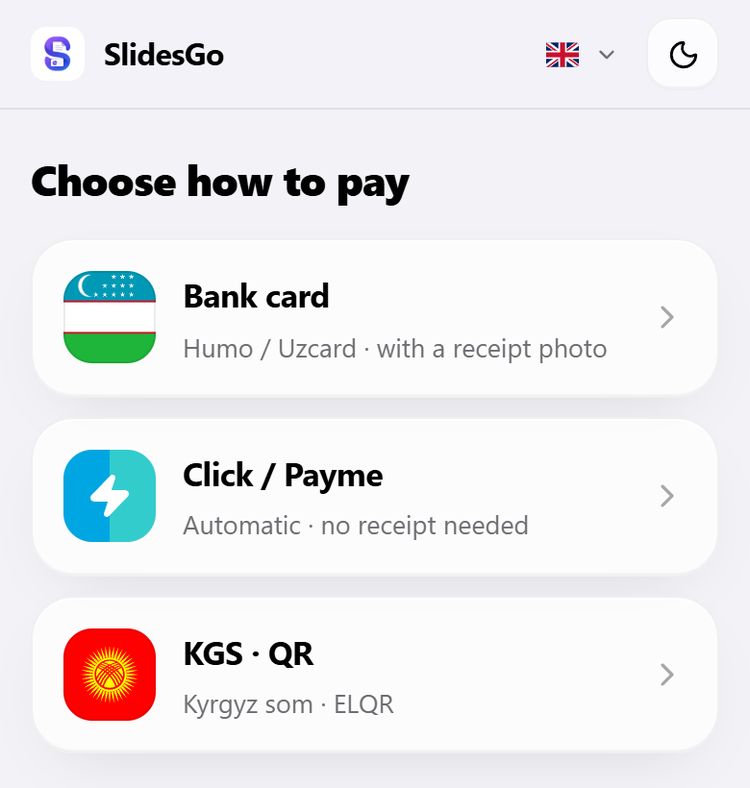
The methods are always in the same order: card, Click / Payme, KGS. Then pick an amount or type your own (2,000 sum minimum). Each button shows its bonus, and the box below shows what reaches your balance.
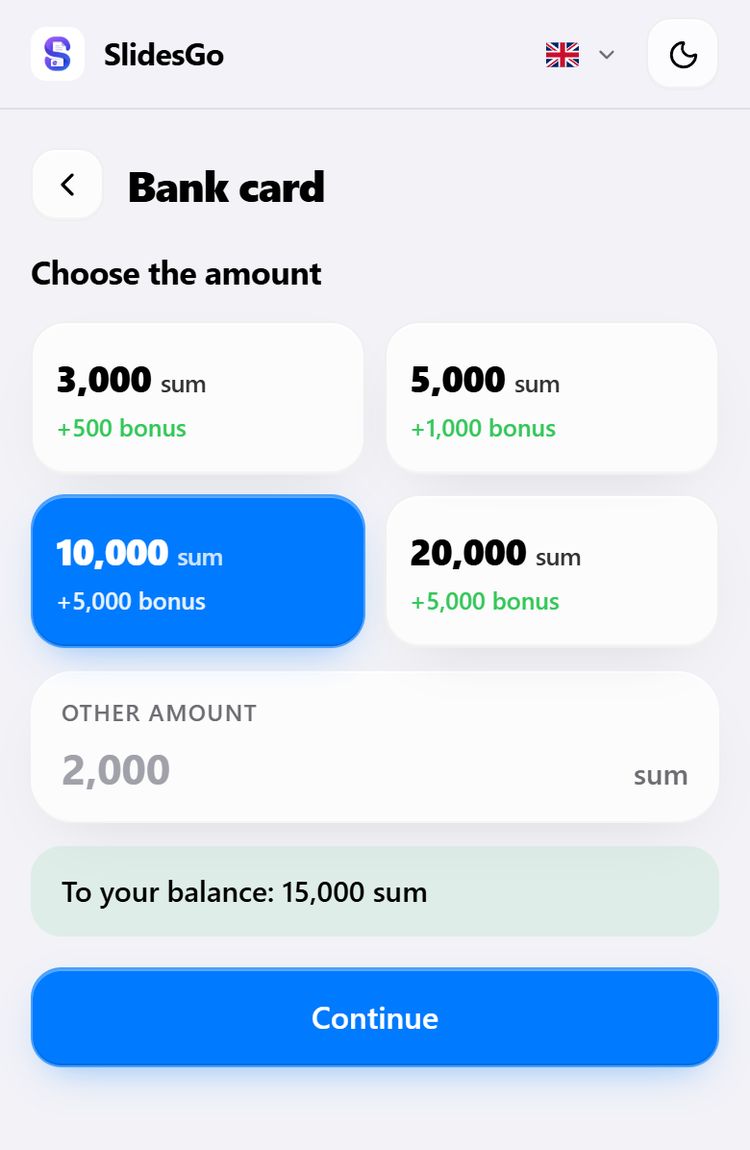
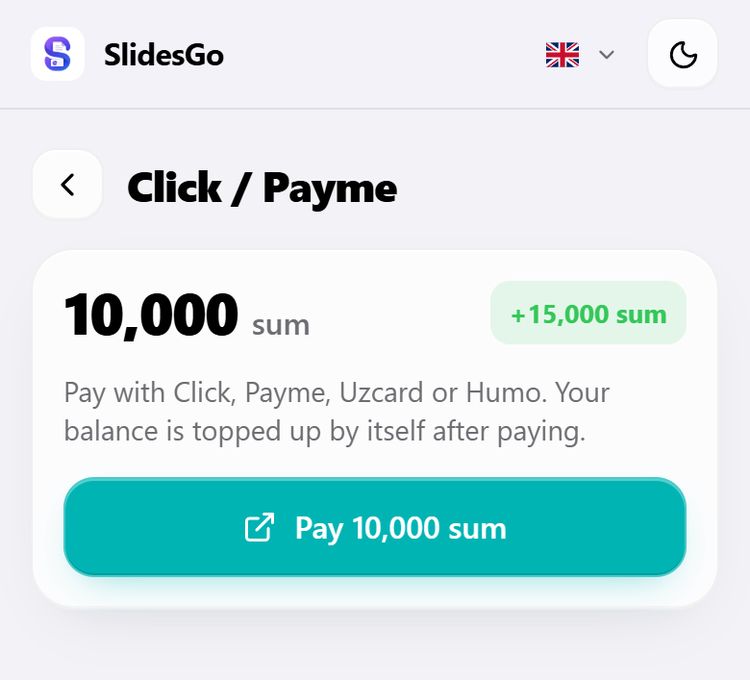
The best deal is 10,000 sum: 15,000 sum reaches your balance.
By card
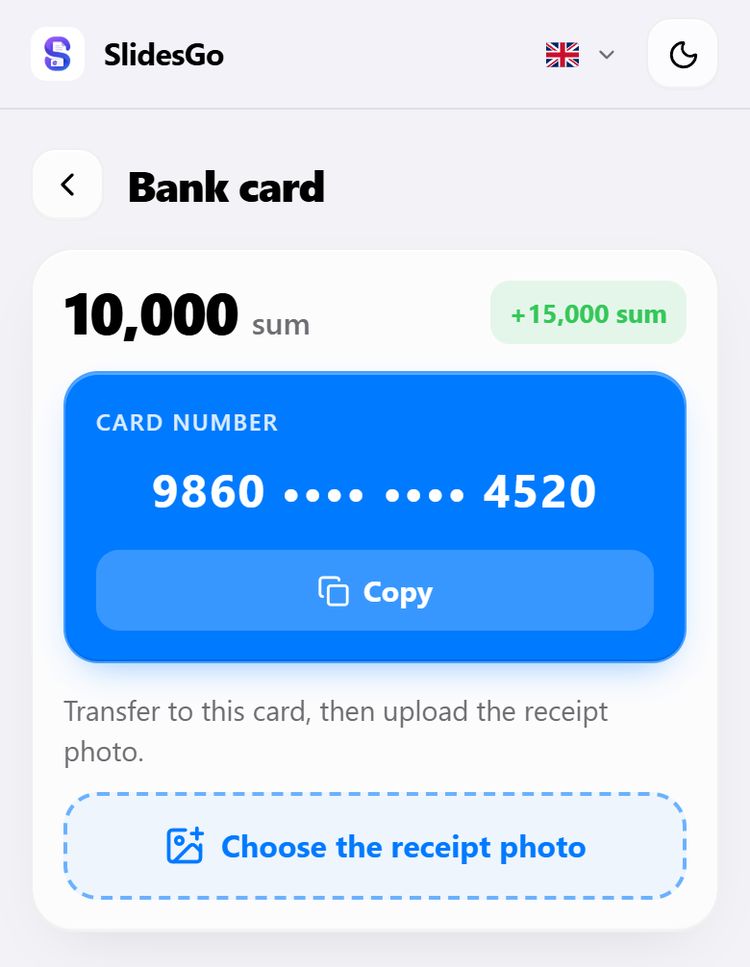
- Copy the card number with the Copy button.
- In your bank app, transfer exactly the amount you picked to that card.
- Come back to the site, tap Choose the receipt photo, pick the transfer screenshot and tap Send.
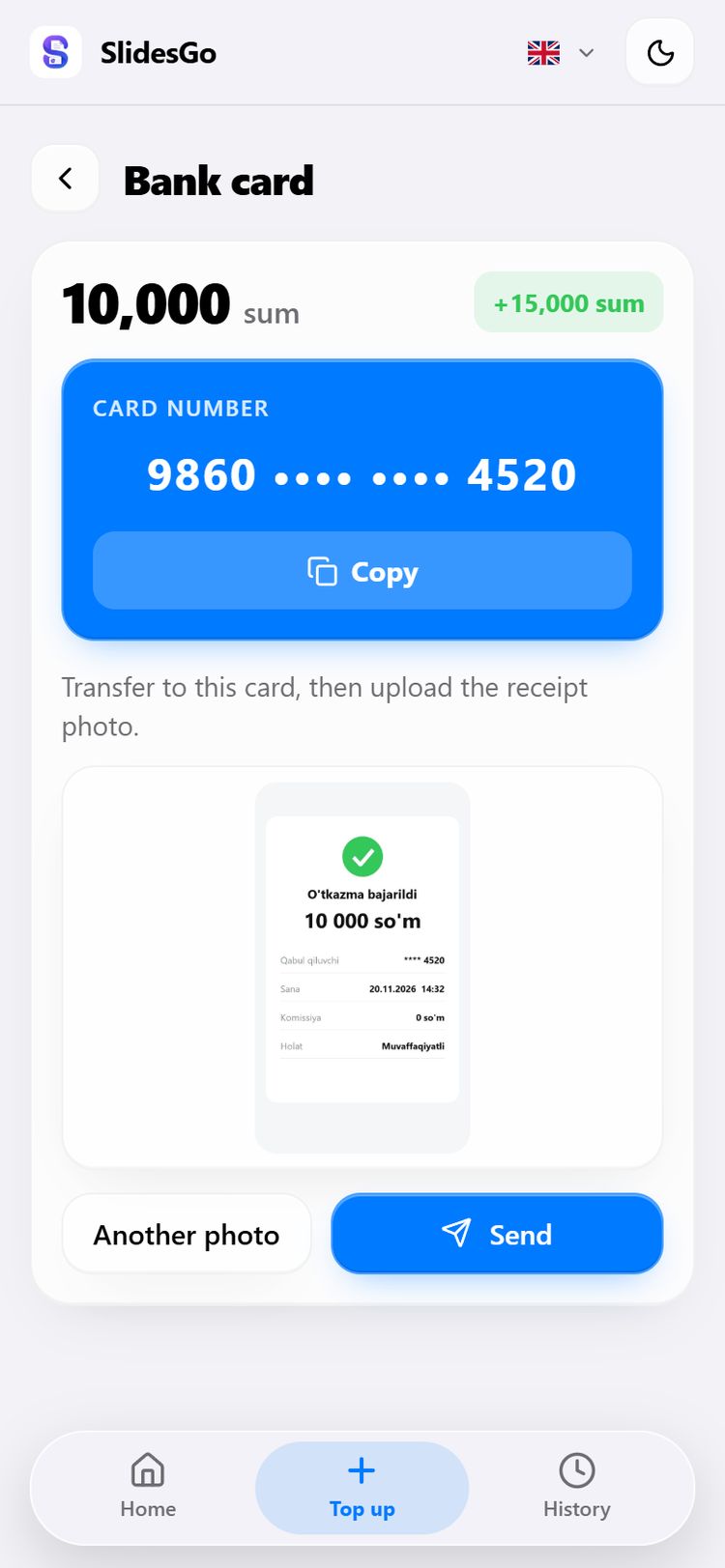
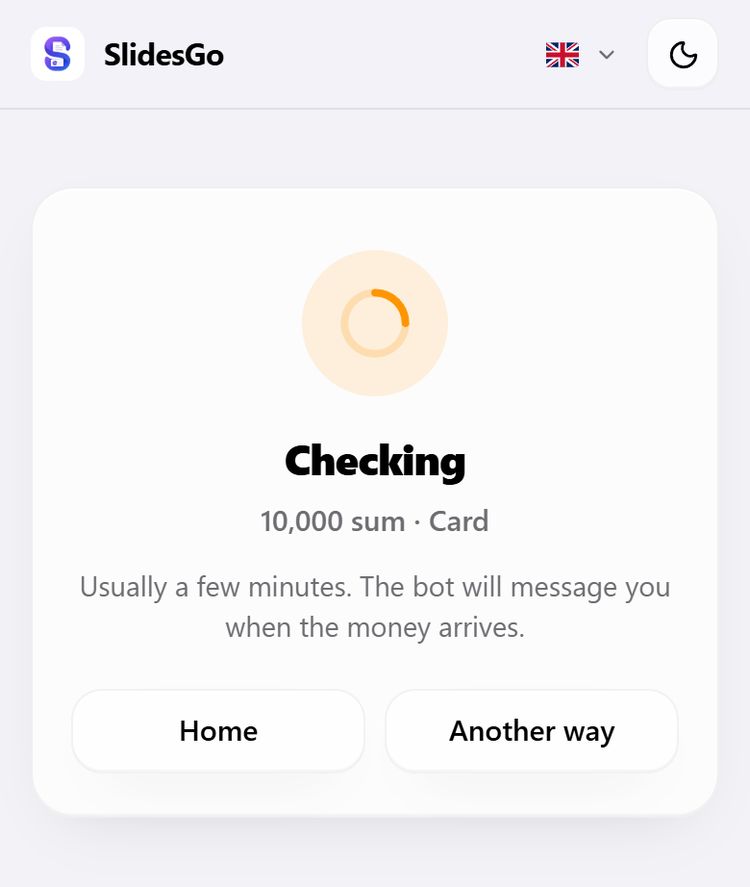
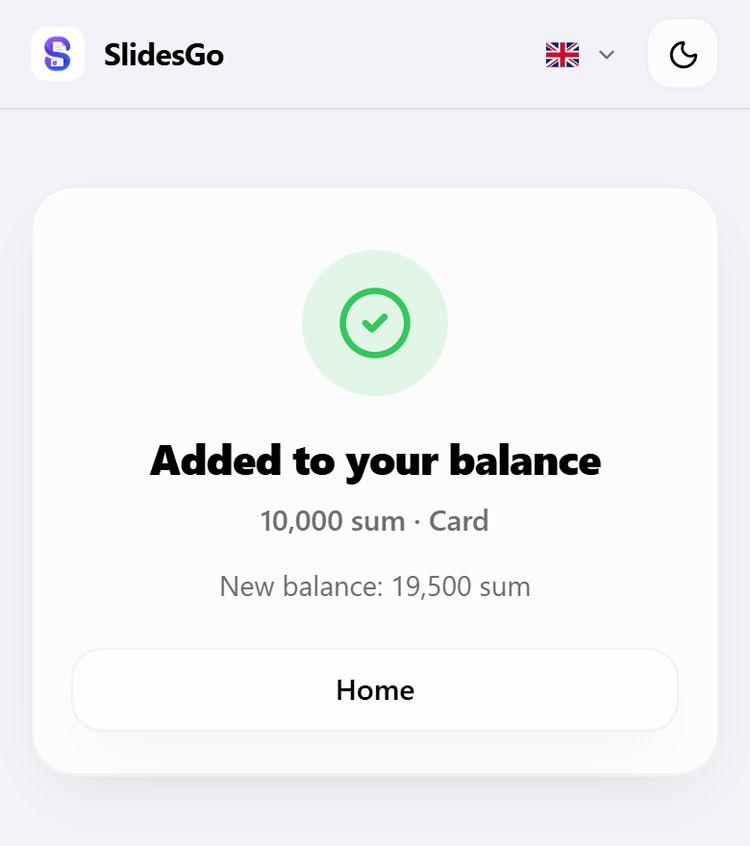
A receipt is usually checked within a few minutes. The page waits by itself: when the money arrives it shows Added to your balance, and the bot sends you a message too. Even if you close the page, the balance still tops up.
With Click / Payme
Pick an amount and tap Pay … sum — the Click / Payme payment page opens. Pay there with Click, Payme, Uzcard or Humo. No receipt needed: the balance tops up by itself after payment, and you'll see the result when you come back to the site.
In Kyrgyz som (KGS)
- Pick an amount in som (25 som minimum; 25 som = 3,000 sum).
- On your phone, tap Open in bank app — the bank app opens straight on the payment. Or save the QR with Save the QR and scan it in your bank app.
- Pay exactly the amount you picked, then upload the payment screenshot with Choose the receipt photo.
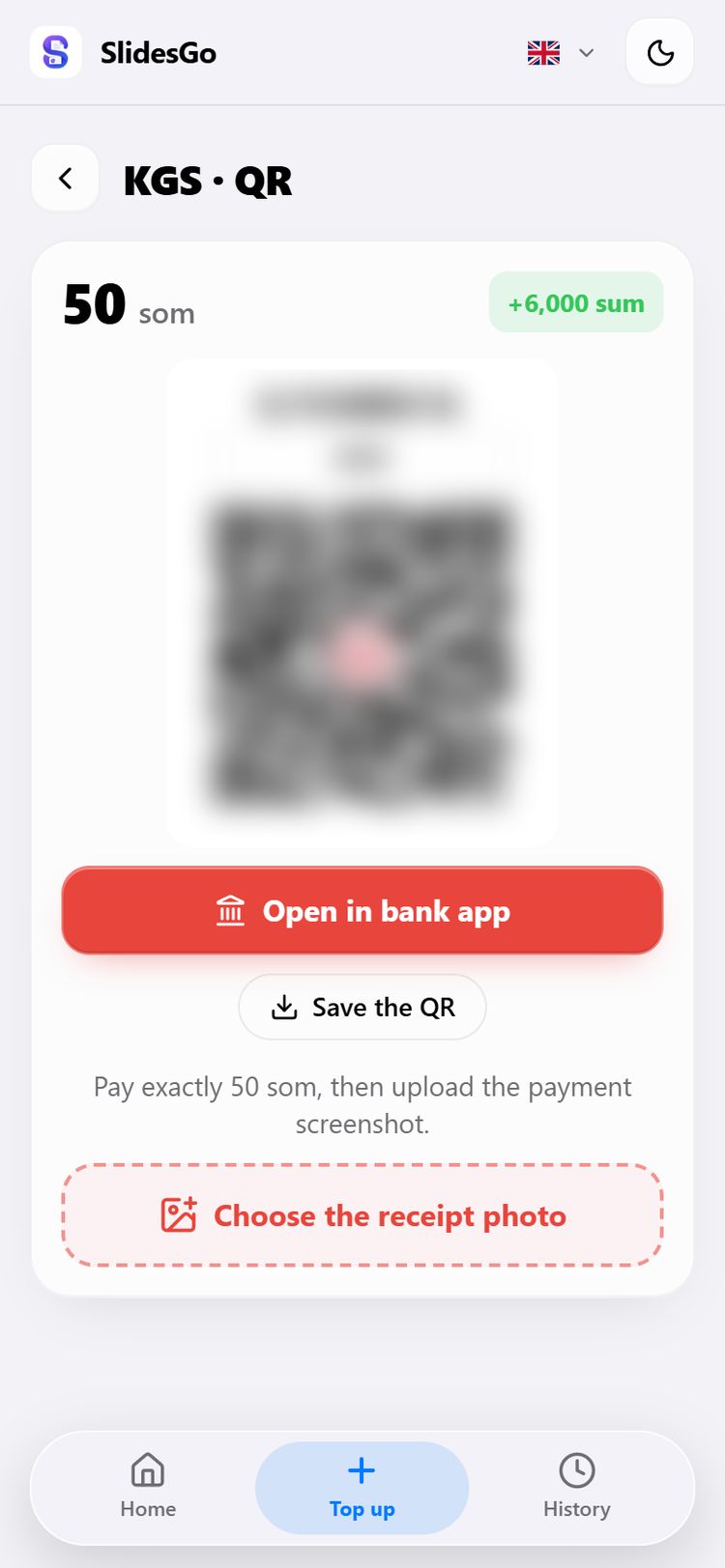
KGS top-ups get no bonus: each som is credited at a fixed rate.
With Telegram Stars
No website needed: in the bot tap 💰 Balance → ⭐ Stars, pick a pack and pay inside Telegram. Each pack button shows what reaches your balance.
If something goes wrong
- Payment not finished — the top-up page in your Account shows an «Unfinished top-up»; with Continue you can upload the receipt later.
- Every top-up and its status is in your Account's History.
- You've paid but the balance hasn't topped up for a long time — message the admin with /contact in the bot.
Prices are in the bot's /help command. Payment terms: Payment & refund. Presentation guide: How to make a presentation in Telegram.